Episode 19

Showcase your designs securely—share your SketchUp models without the risk of edits!

Introduction

Welcome back to SketchUp Made Simple! In Episode 19, we’re diving into the power of View Mode—a feature that lets you share your SketchUp models for viewing only. Whether you’re collaborating on a project, presenting to clients, or sharing your work with friends, View Mode ensures your designs are protected from unwanted changes while giving viewers a guided tour of your model.

Step 1: Understanding View Mode

  • What It Is:
    View Mode lets others explore your SketchUp model without the ability to edit it.
  • Benefits:
    Protect your work, maintain control, and provide a seamless viewing experience.

Step 2: Preparing Your Model for Sharing

  • Optimize Your View:
    Use the Orbit, Pan, and Zoom tools to set the perfect camera angle.
  • Enhance Presentation:
    Add annotations or create Scenes to guide the viewer through key details of your design.
  • Final Touches:
    Save your file with a clear, descriptive name to ensure it’s presentation-ready.

Step 3: Sharing Your Model

SketchUp empowers you to turn your creative ideas into tangible 3D designs in just a few steps. It’s more than just software—it’s a tool for innovation and visualization. With SketchUp, you can:

Using SketchUp for Web:
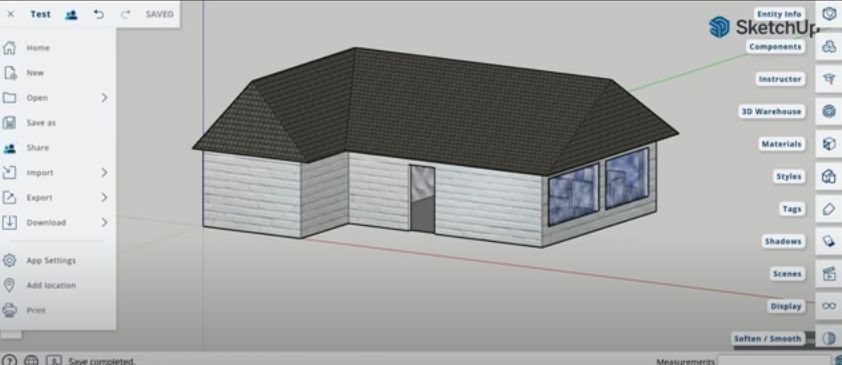
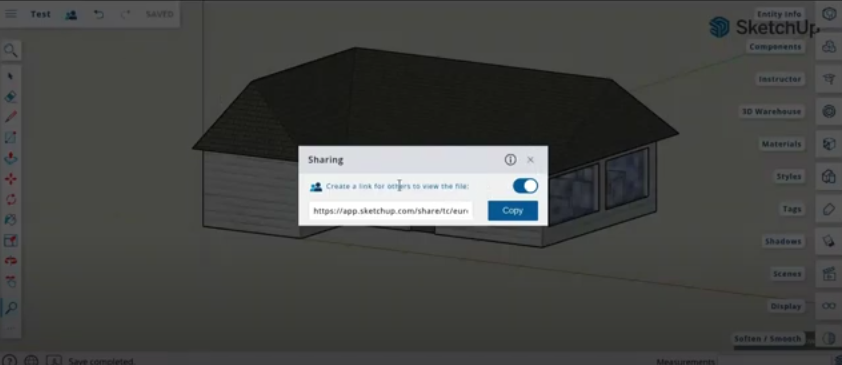
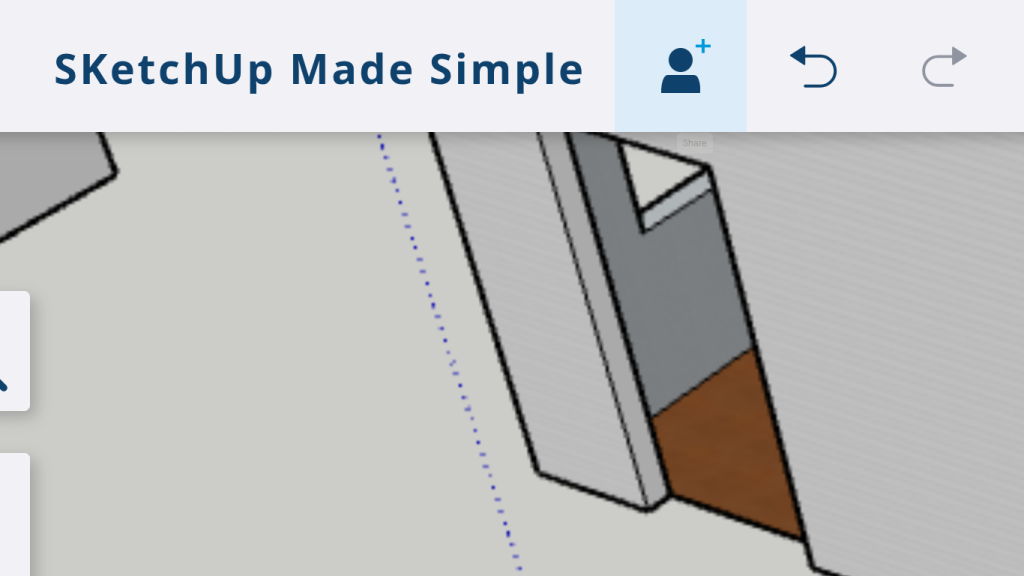
  • Click the Share button at the top right and use the People Icon to create a view-only link.
  • Copy the link and share it via email, social media, or any platform of your choice.
  • Keep your file size optimized by cleaning up unnecessary geometry.
  • Include a brief description in your message to highlight key areas for the viewer.

Conclusion

Congratulations on completing the SketchUp course and mastering essential skills from modeling to presentation. You’ve learned how to optimize views, export high-quality visuals, and share your work securely in View Mode. Your designs now showcase a polished, professional look that will impress any audience. This journey has empowered you with the knowledge to collaborate effectively and protect your creative vision. Keep exploring, creating, and inspiring—happy designing and congratulations on your achievement!

SketchUp Course Completion

You have completed your SketchUp Course. Congrats!